Buy The Car Wash
Wash Ops Dashboard · Version 1 🚗📊

Turn CryptoPay data into operating decisions.

Built for car wash operators using CryptoPay who want better access to their own operational data—without manually downloading, cleaning, and combining reports.

Windows connector Multi-site dashboards Operational alerts Owner and viewer access
Independent from the course. Wash Ops uses its own account and subscription. Buying the Buy The Car Wash course does not automatically create Wash Ops access, and a Wash Ops subscription does not include the course.
See the finished workflow

From Windows connector to online operations dashboard

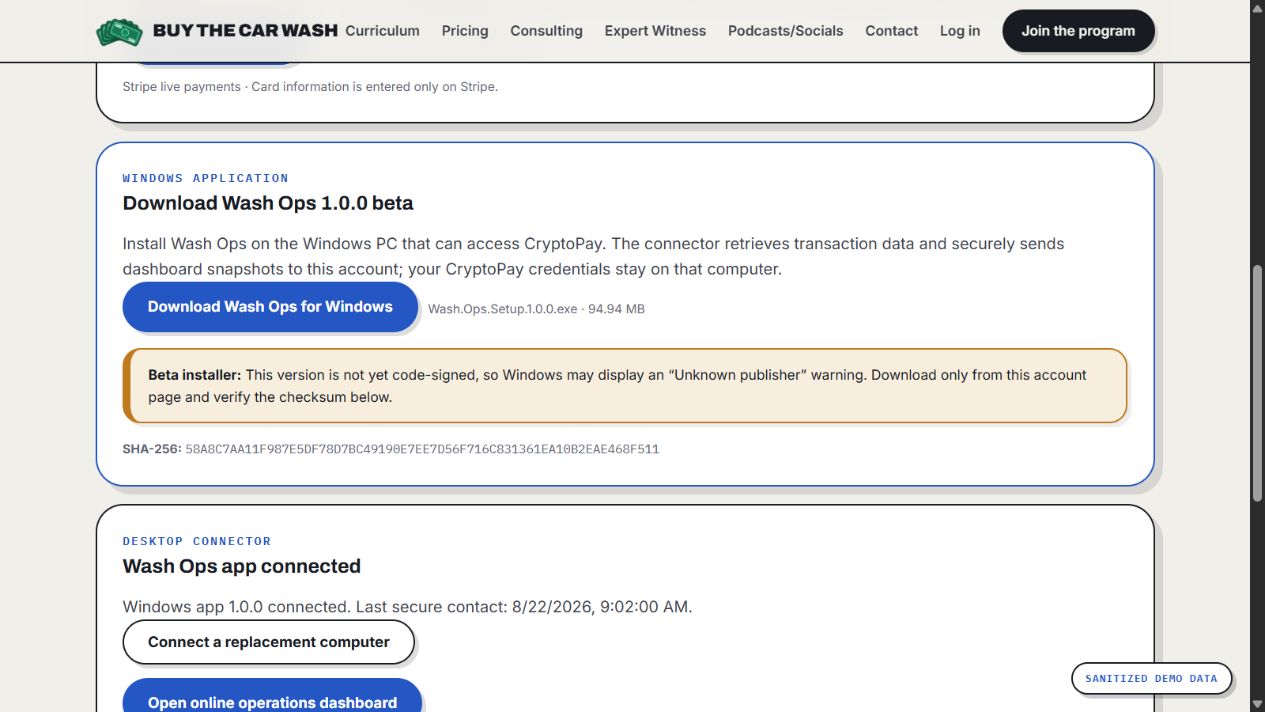
Connect the Windows app once, then use these ten dashboard views to review card sales, transaction volume, average tickets, customer behavior, IBA performance, equipment health, and operating trends across your locations.

Ten-view dashboard tour

See what operators can review online

Select any preview to open the full-size interface.

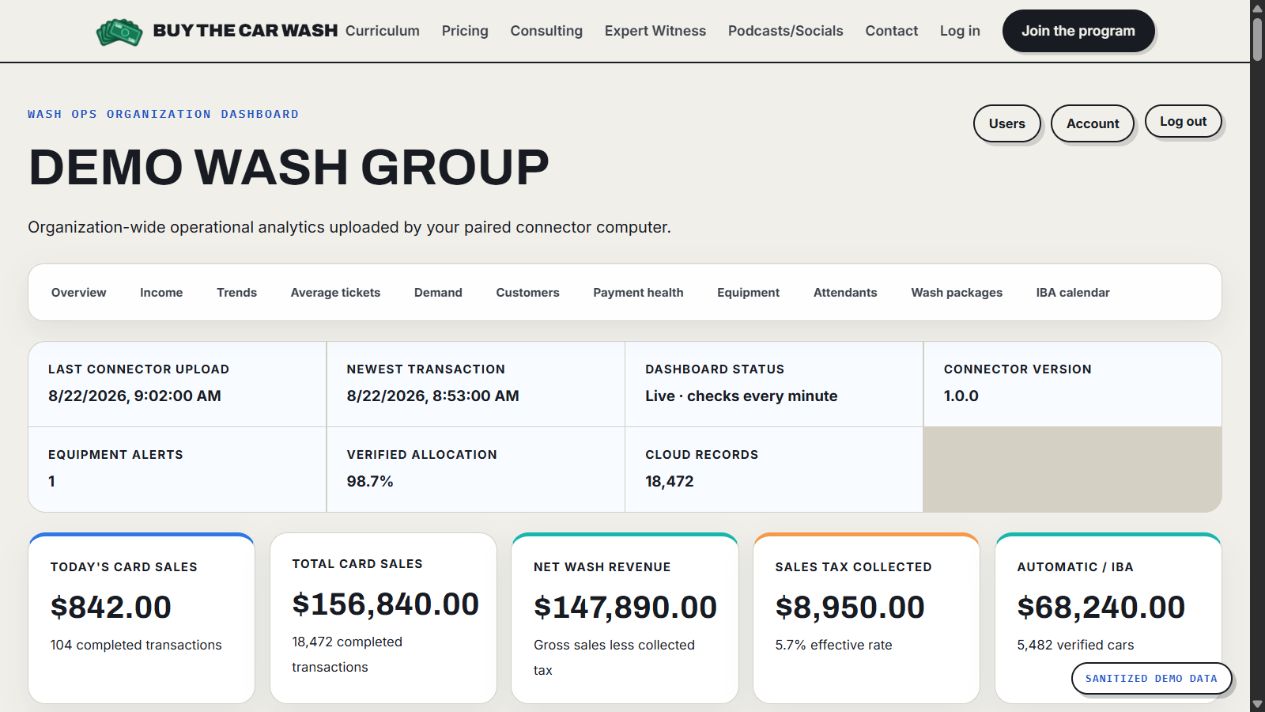
Wash Ops portfolio overview showing fictional connector, sales, tax, IBA, and equipment summary data
Portfolio overviewStart with the portfolio at a glance.

Connector freshness, cloud records, card sales, sales tax, IBA revenue, allocation, and equipment alerts.

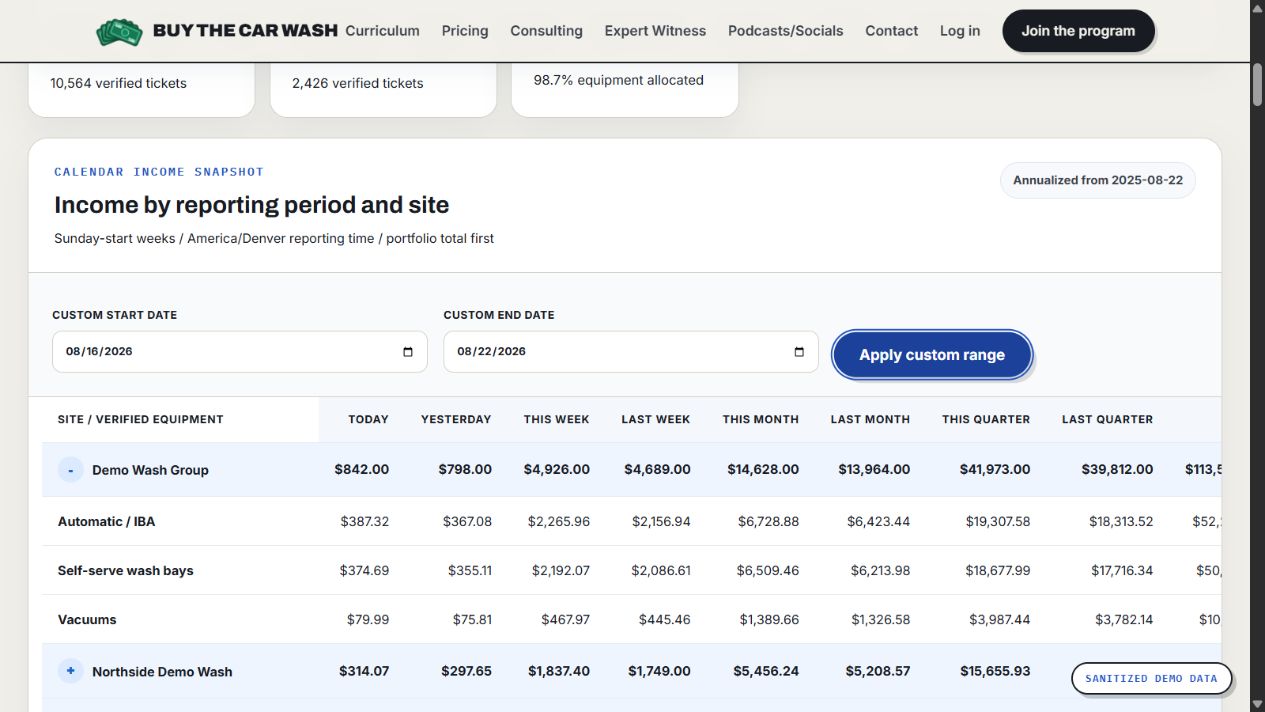
Wash Ops income calendar with fictional reporting data and a custom August 16 through August 22 date range
Custom-date incomeReport across the dates you choose.

Compare portfolio, automatic, self-serve bay, vacuum, and site income for a selected start and end date.

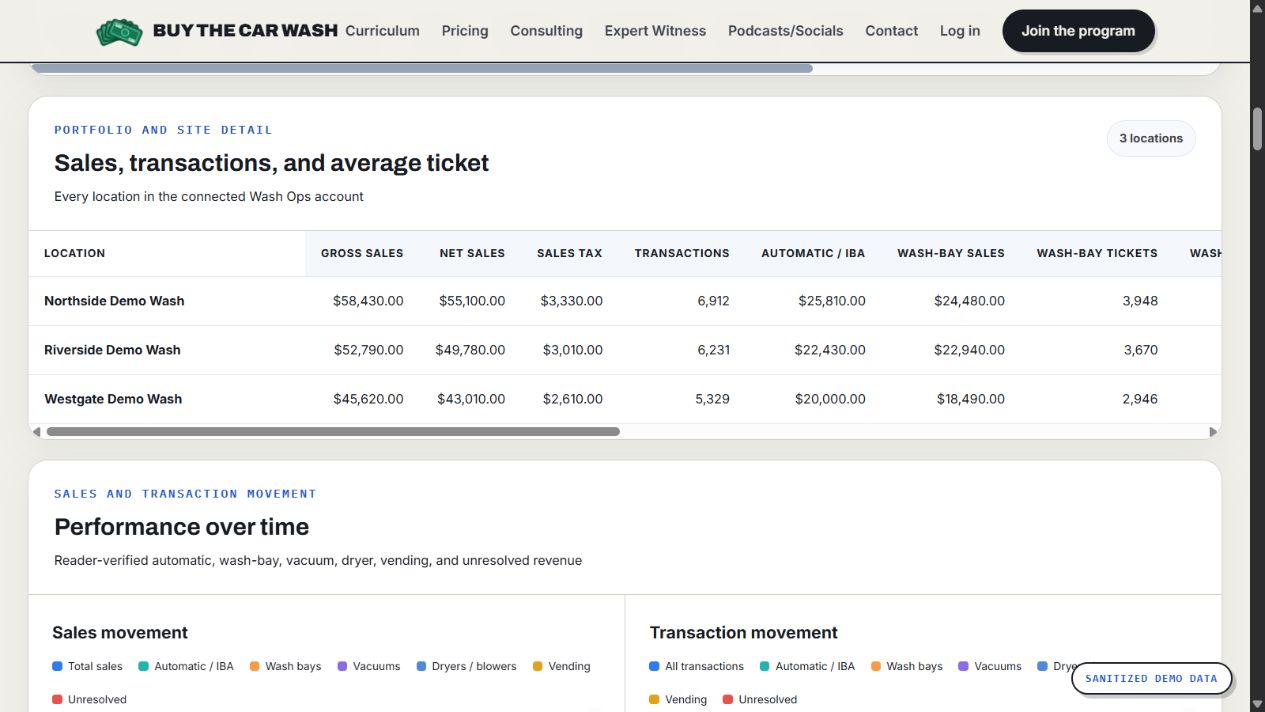
Wash Ops location comparison showing fictional sales, transaction, automatic, and wash-bay performance
Location comparisonCompare every connected wash.

Review gross sales, net sales, tax, transactions, automatic revenue, wash-bay tickets, and average ticket by site.

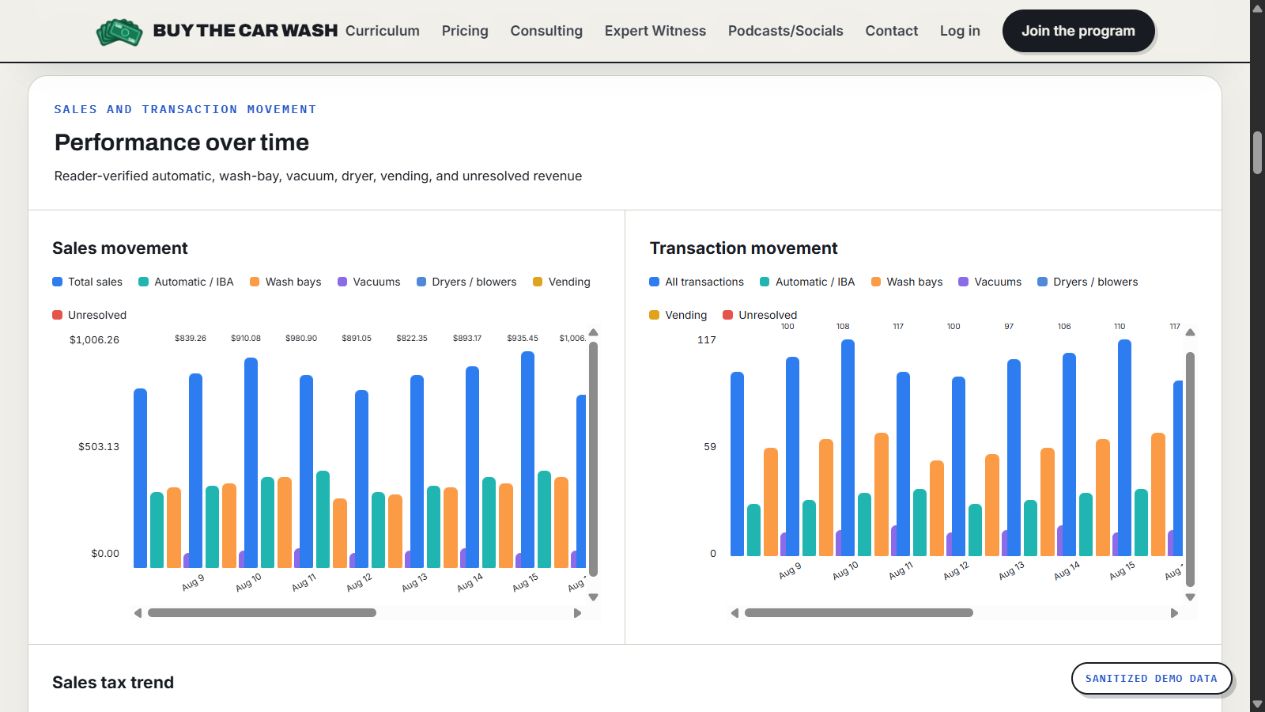
Wash Ops sales and transaction trend charts with fictional automatic, wash-bay, and vacuum data
Sales & transaction trendsSee operating movement over time.

Separate automatic, wash-bay, vacuum, and total activity so changes in volume and revenue are easier to spot.

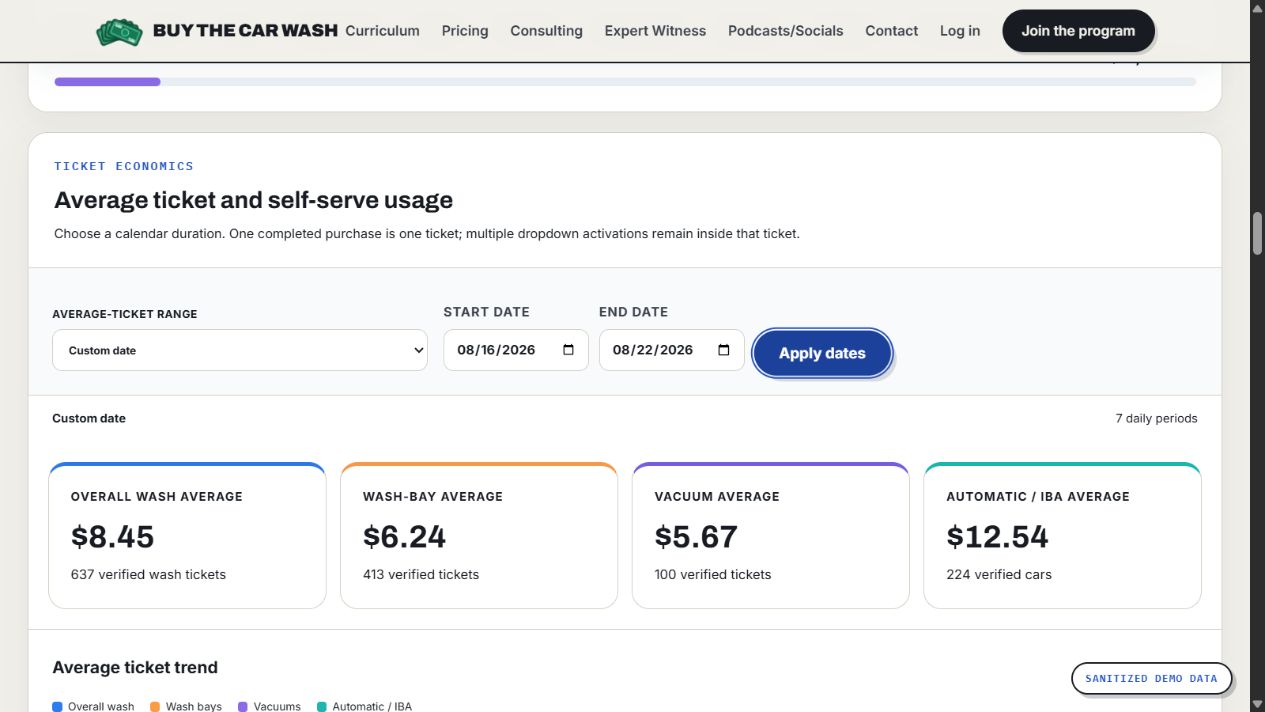
Wash Ops average-ticket dashboard with a fictional custom date range and overall, bay, vacuum, and IBA averages
Custom-date average ticketMeasure ticket economics for the same date window.

See overall wash, self-serve bay, vacuum, and automatic average tickets plus the number of verified tickets and cars.

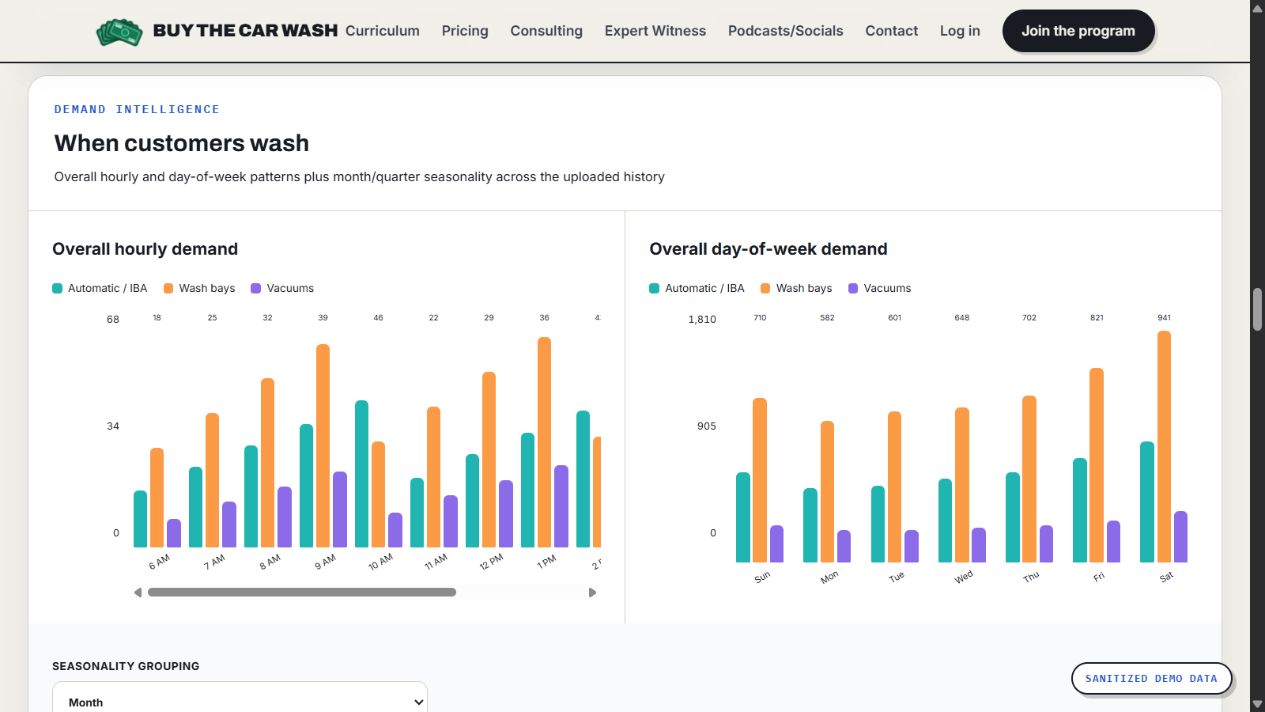
Wash Ops demand charts showing fictional hourly and day-of-week automatic, wash-bay, and vacuum activity
Demand intelligenceLearn when customers wash.

Compare automatic, wash-bay, and vacuum demand by hour, day of week, month, or quarter.

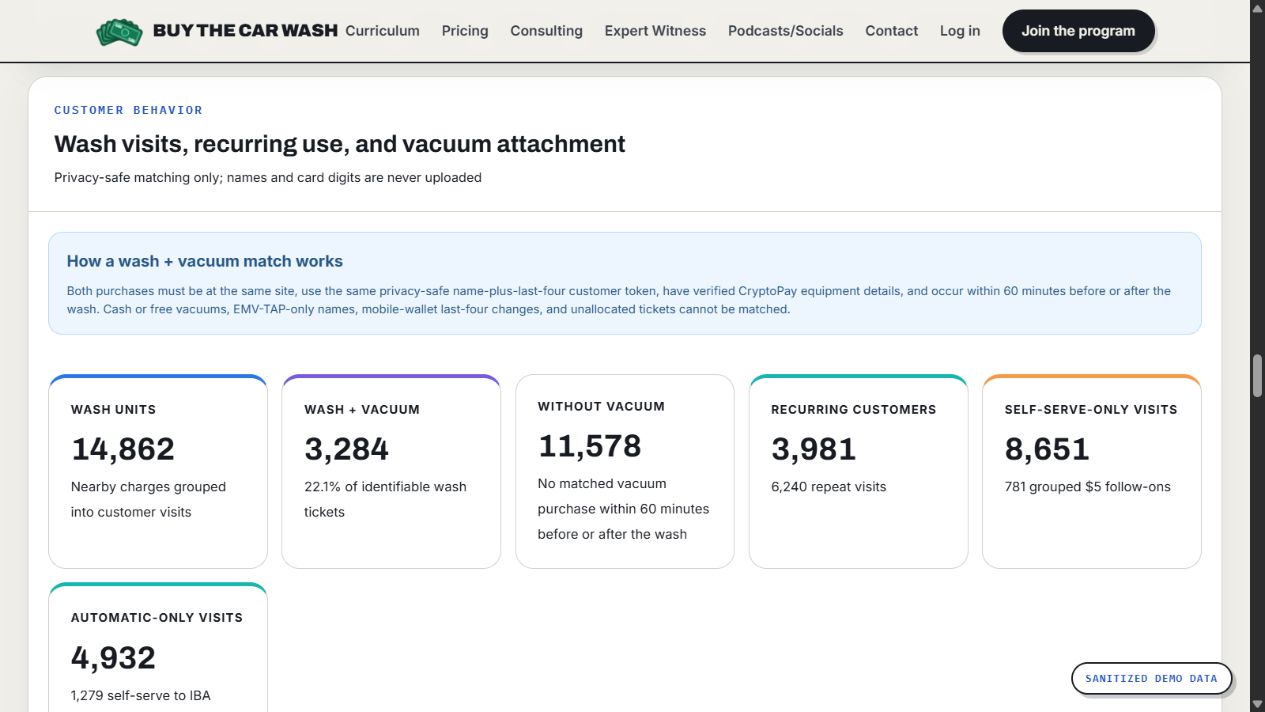
Wash Ops customer behavior dashboard with fictional wash visits, recurring use, and vacuum attachment data
Customer behaviorUnderstand visits without uploading names or card digits.

Review wash units, privacy-safe wash-to-vacuum attachment, recurring visits, and automatic-to-self-serve combinations.

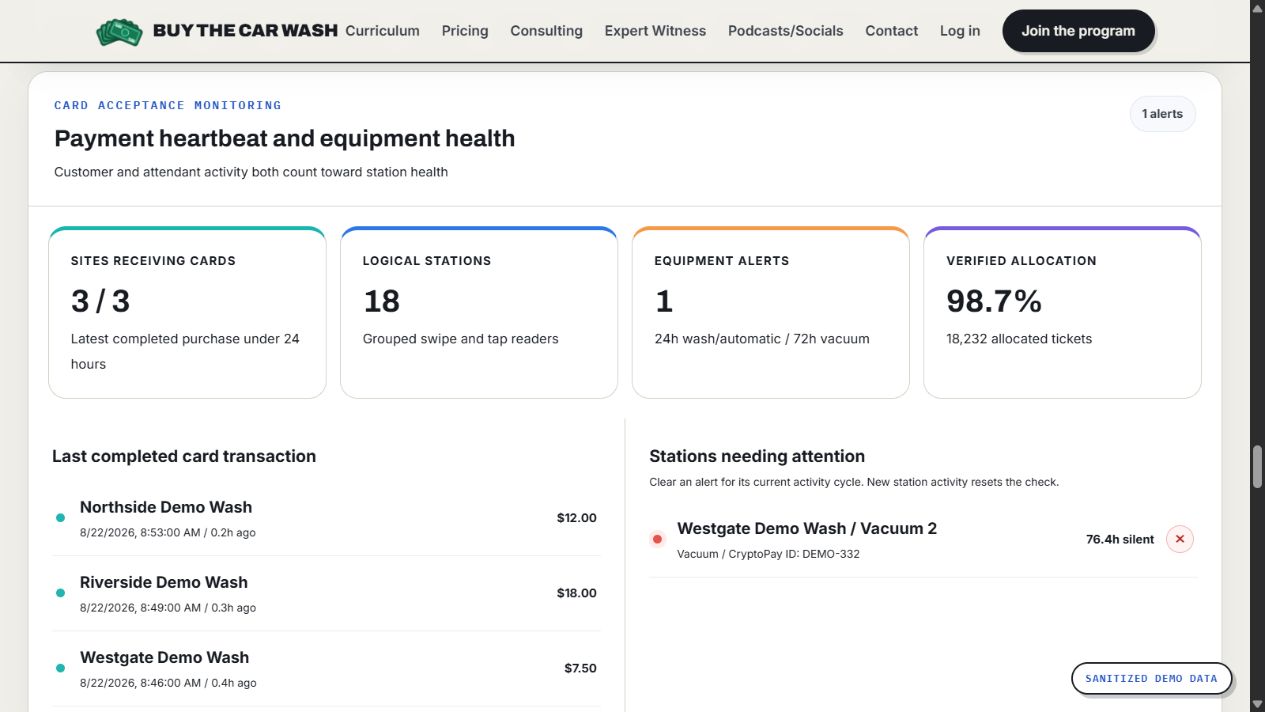
Wash Ops payment heartbeat showing three fictional active sites and one fictional vacuum attention alert
Payment & equipment healthSee card activity and stations needing attention.

Confirm which sites are receiving cards, review the last completed transaction, and surface an inactive device for verification.

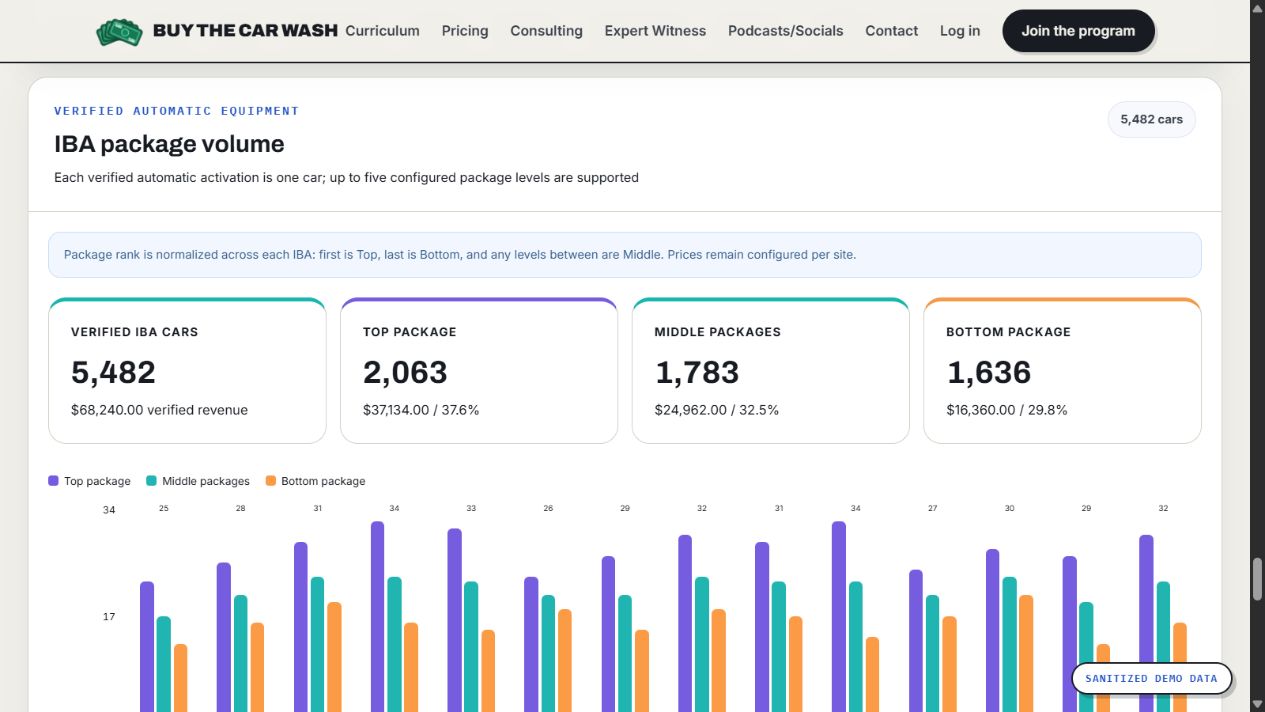
Wash Ops IBA package dashboard showing fictional car counts, revenue, package tiers, and daily volume
IBA package volumeTurn verified automatic activations into package counts.

Compare total IBA cars, revenue, top, middle, and bottom package volume, package mix, and daily movement.

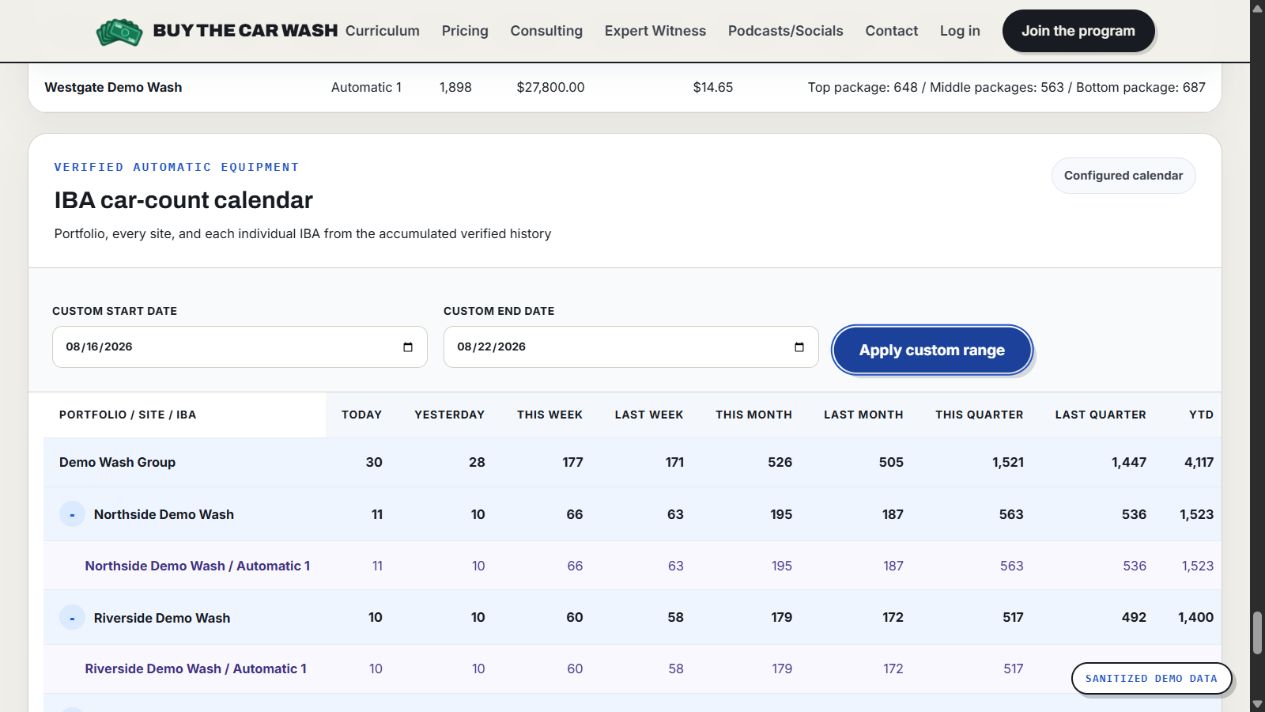
Wash Ops IBA car-count calendar with fictional portfolio and site counts for a custom date range
IBA car-count calendarCompare cars across portfolio, site, and IBA.

Use standard reporting periods or a custom date range to review verified automatic car counts at every level.

Privacy note: These product previews use sanitized, fictional demo names and figures. No operator or customer data is shown.

The useful version of your data

What Wash Ops does—and what Version 1 does not do

Wash Ops gives operators one practical view of CryptoPay performance. Version 1 is intentionally focused, and these boundaries matter before you sign up.

Benefits & capabilities

Built to answer operating questions faster

  • Automatically imports authorized transaction data from CryptoPay through the Windows connector.
  • Consolidates multiple locations, self-serve bays, in-bay automatics, vacuums, vending, and other verified CryptoPay devices.
  • Tracks card revenue, transaction counts, average ticket, equipment performance, and trends.
  • Compares performance across locations, bays, equipment types, days, and selected time periods.
  • Helps surface underperforming equipment, unusual activity, changing customer behavior, and potential revenue opportunities.
  • Supports detailed source review in the Windows app without manually downloading and combining CryptoPay reports.
  • Lets owners grant separate, read-only dashboard access to managers, partners, or other reviewers.
  • Gives multi-site operators a single portfolio view instead of a separate reporting workflow for every account.
Version 1 limitations

What to know before you subscribe

  • The connector currently requires a Windows PC. That computer must remain powered on, online, and signed in to CryptoPay for automatic updates.
  • Version 1 supports CryptoPay only; it does not combine cash, free services, or data from other payment systems.
  • Wash Ops can only report records and equipment details CryptoPay makes available. Missing historical data cannot be recreated.
  • The online dashboard contains aggregate operating analytics. Sensitive credentials, browser sessions, and detailed source data remain on the connector computer.
  • Alerts are informational—not proof of an outage, malfunction, theft, or accounting discrepancy. Operators must verify conditions at the site.
  • Wash Ops does not process payments, control equipment, issue refunds, or replace bookkeeping, accounting, or tax systems.
  • A large first import may take 6–12 hours, and reporting freshness depends on CryptoPay, the connector computer, and internet availability.
  • Version 1 is under active development, so reports and workflows will continue to evolve with operator feedback.
First active location$50/month
Each additional location+$25/month

No course purchase is required. Billing begins only after you choose and activate your sites.

Frequently asked questions

Know before you connect

Who is Wash Ops built for?

Wash Ops is built for car wash owners and operators using CryptoPay, especially operators managing multiple locations, bays, in-bay automatics, vacuums, vending machines, and other CryptoPay-connected equipment.

What do I need to use Version 1?

You need authorized access to an active CryptoPay account, a Windows PC with a reliable internet connection, and permission to install the Wash Ops connector. The connector computer must stay powered on and connected for automatic updates.

Can I view the dashboard from a Mac or phone?

Yes. After the Windows connector sends aggregate reporting data to Wash Ops, you can view the online dashboard in a modern browser on a computer, tablet, or phone. The Version 1 connector itself is currently available only for Windows PC.

What data does Wash Ops include?

Wash Ops reports completed card transactions and equipment details that CryptoPay makes available to your authorized account. Cash sales, free services, and records or equipment details that CryptoPay does not provide are not included and cannot be recreated by Wash Ops.

Is Wash Ops a real-time equipment controller or payment processor?

No. Wash Ops is a reporting and operational-awareness tool. It does not process payments, start or stop equipment, issue refunds, replace accounting or tax records, or prove that a machine is working or malfunctioning. Data freshness depends on CryptoPay, the connector computer, and internet availability.

Where are my CryptoPay credentials and transaction details stored?

CryptoPay credentials and browser sessions stay on your connector computer. The online dashboard receives aggregate operating analytics, not customer names, full card details, employee names, or your CryptoPay password. Detailed source review remains on the Windows app.

How long does setup take?

Account and site setup are quick, but a large initial history may take 6–12 hours to import. The connector saves checkpoints and can resume after an interruption. Clear, consistent CryptoPay site and device names improve equipment classification.

How does pricing work?

Wash Ops is $50 per month for the first active location or CryptoPay account and $25 per month for each additional active location. Billing begins after you choose and activate your sites.

Is Wash Ops included with the Buy The Car Wash course?

No. Wash Ops is an independent software service with its own account and subscription. A course purchase does not include Wash Ops, and a Wash Ops subscription does not include the course.

Is Version 1 the finished product?

No. Version 1 is actively being developed. Reporting, analytics, workflows, and supported platforms may change as the service improves, and future features are not guaranteed until released. Operator feedback will help guide what is built next.
Version 1 is available

Ready to make CryptoPay data easier to use?

As long as CryptoPay stays archaic, I’ll keep building around it. 😂